vFairs
- 3.7
- Rating
- 100.00K
- Installs
- Free
- Price

 Analysis by App-foxy
When I first opened vFairs, I approached it less like a social network and more like a digital event pass. That distinction matters. This is an events app from vFairs, built to bring virtual, hybrid, and in-person event activity into one mobile place. It is free to install, rated for Everyone, and available on devices running Android 9 or later. My first impression was that its usefulness depends heavily on the event you are attending: when the organizer has prepared the space well, the app can reduce the need to jump between web pages, emails, and separate tools; when the event is lightly configured, there is less reason to keep it open.
The app has reached over one hundred thousand installs, with an average rating of 3.7 from around two hundred ratings. I read that as a sign of a practical but event-dependent tool rather than a universally essential app. People are not downloading it simply to browse endlessly. They usually arrive because an organizer has directed them there, and their experience will be shaped by the quality of that particular event setup.
Getting from installation to a useful event experience
I treat the first few minutes with vFairs as a quick readiness check, not a tour of every screen. I look for the event I’m attending, then try one task I’ll actually need—finding a session or locating an exhibitor—so I can spot any setup confusion before the day gets hectic. That also gives me a useful way to judge how the event has been organized, which matters as much as the app itself.
You May Also Like

 Blood Strike: 2.5 Anniversary
Blood Strike’s Loadouts Turn Every Drop Into a Tactical Gamble
A close look at Blood Strike’s custom loadouts: how fast access to signature weapons reshapes its battle royale rhythm, rewards preparation, and narrows the gap between fights.

 Pandora - Music & Podcasts
Pandora’s Music Is Easy to Start, but Harder to Recover
Pandora’s strength is its low-effort path from a seed to a station. Its weak spot is how much confidence it asks you to place in connection, setup, and quiet recovery.

 8 Ball Pool
 Is Built on Rivalries, Rematches, and Routine
A close look at the rivalries, rematches, shared routines, and unanswered safety questions that turn a quick pool match into a persistent mobile community.

 Samsung Music
’s Quiet Strength Is Playing What You Already Own
Its reach comes less from spectacle than from dependable access to a personal library. That simplicity is both the app’s strongest retention engine and its ceiling.

 AccuWeather: Weather Radar
AccuWeather Review: A Quick, Clear Forecast for Everyday Decisions
For everyday plans, the best forecast is the one you can understand quickly. AccuWeather makes rain timing, radar, and local conditions easy to act on, with a few trade-offs.

 Hill Climb Racing
Why Hill Climb Racing Still Turns Crashes Into One More Run
A tiny car, a bumpy hill and one more upgrade: Hill Climb Racing keeps resurfacing because its simple chaos makes every near-miss feel personal.
More From Our News Desk



What to expect before you open it
The most important thing to understand is that vFairs is not an event discovery app in the usual sense. You should not expect a large public feed where you casually browse local concerts, conferences, or meetups. Its role is closer to a companion for events that use the vFairs platform. That makes the app especially relevant for conferences, career fairs, exhibitions, training sessions, and other organized gatherings that may combine online and physical attendance.
For a first-time user, this means the app may feel quiet until you have the right event information. I would install it before the event begins, but I would not judge it from the opening screen alone. The useful experience starts when your event is connected to the app and its content is available. If you are expecting a general-purpose calendar or a replacement for a ticketing service, you may initially think there is very little to do.
Its all-in-one approach is most helpful when an event has several moving parts. A hybrid conference can involve schedules, exhibitor information, speaker details, attendee interaction, and changes during the day. Keeping those pieces together is more convenient than searching through an inbox every time you need the next session. For an in-person exhibition, the same idea can make a large venue less intimidating, provided the organizer has supplied enough useful information.
I also found that the app makes more sense when treated as a temporary workspace. You are likely to use it intensively around an event, then stop opening it once the event is over. That is not a weakness by itself; it simply explains why the experience is different from a messaging app or a permanent productivity tool.
First setup: prepare before the event gets busy
After installing the app, my advice is to avoid waiting until you are standing outside a venue or trying to join a live session. Open it in a calm moment and look for the event access details supplied by the organizer. Depending on how the event has been arranged, you may need an event name, an invitation route, or account information. The practical lesson is simple: keep the registration email or event message nearby during setup.
Do not assume that installing the app automatically places you inside the correct event. If the event does not appear immediately, first check that you are using the same details connected with your registration. It is easy to create confusion by switching between personal and work email accounts, especially when a conference registration was completed by an employer or another person on your behalf.
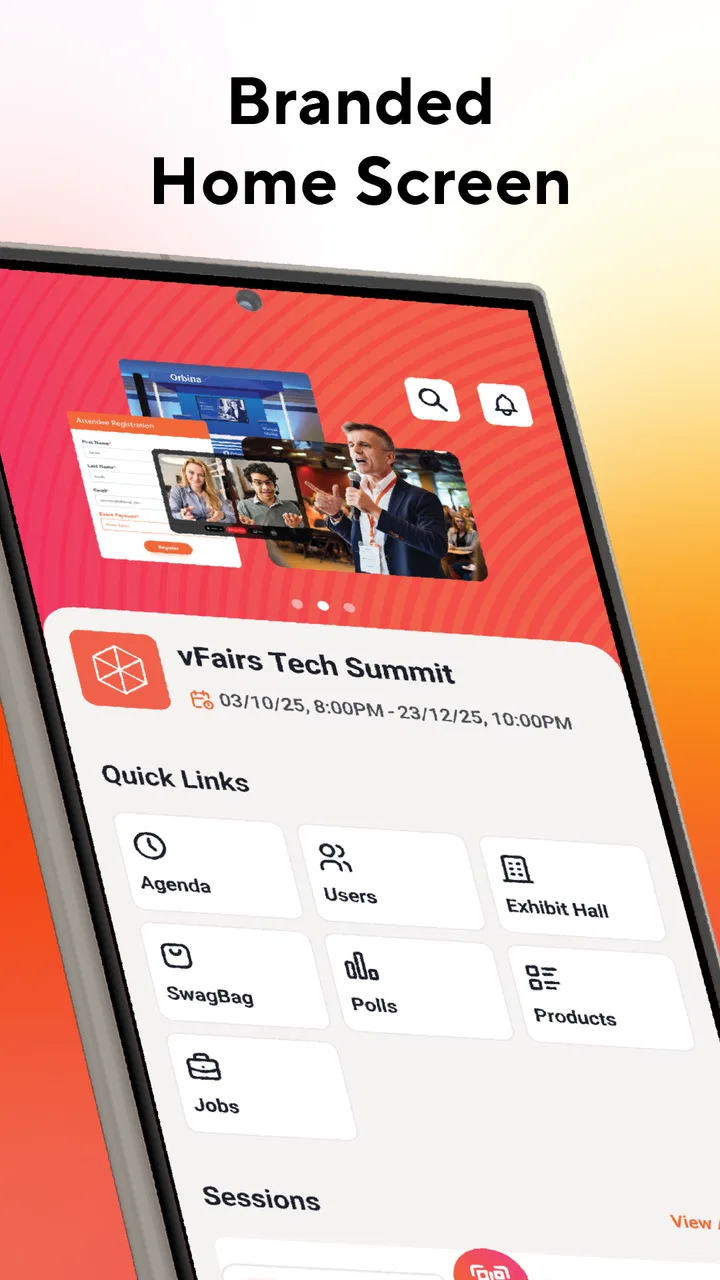
Once the event is visible, spend a few minutes exploring before the schedule becomes urgent. Look for the main areas related to sessions, exhibitors, speakers, or attendee activity, depending on what your event provides. I would also check whether the program is organized by day, track, or room. That small inspection can save time later because event apps often present a lot of information in a compact interface.
One useful habit is to identify your first destination before the event starts. If I were attending a career fair, I would locate the participating employers and decide which conversations mattered most. At a conference, I would scan the schedule and mark a short list of sessions rather than trying to remember everything. This turns the app from a digital brochure into a simple planning tool.
Another practical tip is to keep the information you need in two places until you are confident that the app is ready. I would not delete the original event email immediately. The app may be the better place for browsing, but the email can still be useful for access instructions or last-minute organizer messages. That backup is particularly sensible for a first-time attendee who does not yet know how the event has been structured.
Your first successful action should be small and specific
The quickest way to decide whether vFairs will help you is to complete one meaningful task, not to explore every menu. For me, that first task would be finding a session, exhibitor, or event area that I genuinely plan to use. If I can locate it without repeatedly returning to an email, the app has already earned a place in my event routine.
For a virtual event, a good first action is to find the session or presentation you intend to attend and confirm where it appears in the event flow. For an in-person event, I would use the app to identify the exhibitors or activities that deserve priority. For a hybrid gathering, I would first separate the parts I can join remotely from the parts that require physical attendance. This prevents the common mistake of treating the entire program as if every item worked in the same way.
I would then build a short personal plan. Choose the most important sessions, leave room for conversations, and note which exhibitors or speakers you want to revisit. The value here is not in creating a perfect schedule; it is in reducing decision-making while the event is moving quickly. A compact plan is also more realistic than trying to attend everything.
One less obvious benefit of this approach is that it gives you a test of the event’s organization. If titles, timing, and descriptions are clear, you can prepare confidently. If information is scattered or vague, you know early that you should keep the organizer’s messages accessible. In other words, your first small task is also a reliability check.
For a realistic everyday scenario, imagine that I am attending a professional exhibition between work commitments. I have only a short window before my next appointment. Instead of walking through every available area, I open the event inside vFairs, identify two exhibitors relevant to my work, check the program for one useful session, and use the app as my reference point while moving through the venue. That is where the all-in-one design feels worthwhile: not because it replaces every conversation, but because it helps me spend limited time deliberately.
Where first-time users can become confused
The biggest source of confusion is the difference between the app and the event itself. vFairs provides the environment, but the organizer determines much of what you actually see and how complete it feels. A sparse schedule, limited exhibitor information, or an inactive attendee area may reflect the event’s preparation rather than a missing capability in the app.
Another possible stumbling block is expecting every event type to behave identically. A physical exhibition and a virtual conference have different needs. In one, you may care about navigation and exhibitor discovery; in another, you may focus on sessions and online participation. I would judge each section according to the event’s purpose instead of assuming that every menu should be equally full.
It is also easy to confuse browsing with participation. Reading about a speaker or opening an exhibitor profile is useful preparation, but it is not the same as joining the live part of an event or having a conversation. I recommend deciding what action you want after each piece of information: attend, visit, contact, save for later, or ignore. That simple question keeps the app from becoming another place where I collect details without acting on them.
If you cannot find a particular session or person, check the event’s schedule structure before assuming the content is missing. It may be grouped under a different day, track, or area. Search and navigation habits matter more here than they would in a simple single-purpose app because event information can be organized in several layers.
I would also avoid relying on the app as my only source of urgent instructions during a busy event. Keep the organizer’s original message available, especially if attendance involves a specific arrival process or a change announced outside the event environment. This is not a criticism of vFairs so much as a sensible distinction between a central event hub and the organizer’s direct communication channel.
How it compares with ordinary event alternatives
The usual alternative is a mixture of calendar entries, email attachments, a browser page, printed material, and perhaps a separate video or networking service. That mixture can work, but it creates friction. Information becomes duplicated, and I have to remember which tool contains the latest version of each detail. vFairs is more appealing when the event has enough content to justify a central home.
Compared with a basic calendar app, it can offer more event context than a list of times and titles. A calendar is excellent for protecting a time slot, but it does not necessarily provide the surrounding event environment. Compared with a general social platform, vFairs is more focused: the event controls the setting, and the experience is less dependent on an unrelated public feed.
However, a simple web page may be better for a small gathering with only a few sessions. If the event consists of one location, one timetable, and a short set of instructions, installing a dedicated app may feel like extra work. Likewise, a specialized ticketing or venue-navigation app could be preferable when the main need is entry management or detailed physical directions rather than a broader event experience.
For organizers, the trade-off is equally clear from the attendee’s side. A unified app can make a complex program easier to follow, but only if the content is maintained and arranged thoughtfully. As a user, I benefit from the platform’s structure only when the event team uses it consistently. That is why I would recommend it more strongly for substantial conferences, fairs, and hybrid programs than for a very small meetup.
Who will get the most from it
I think vFairs is a good match for people attending organized events where several types of information need to stay together. Professionals moving between sessions and exhibitors can use it as a lightweight plan. Students attending a career fair can use it to decide which organizations to approach first. Remote participants can benefit when a virtual program would otherwise be spread across multiple pages and messages.
It may also suit people who dislike carrying printed schedules or switching repeatedly between a browser and email. The app’s strongest promise is not entertainment; it is reducing the number of places you need to check during an event.
I would be more cautious if you attend only tiny local gatherings, dislike installing temporary apps, or already have a reliable event system that covers your needs. Someone who wants a permanent community, a broad event marketplace, or a general networking feed may find the experience too dependent on a specific organizer and event.
Before installing, I would ask one practical question: does the event invitation clearly use vFairs as part of the attendee experience? If the answer is yes, the app is worth trying because its value comes from that connection. If the event does not rely on it, there may be little reason to use it simply because it exists.
Version, maturity, and what I would check next
The current version is 35.2.0, and the app was released on October 7, 2021. Those details suggest an established event product rather than a brand-new experiment, while the moderate average rating shows that the experience has not been perfect for every user. I would keep expectations practical: this is a tool whose quality is measured by how smoothly it helps me complete event tasks.
Because it is free, the main cost is not money but preparation and attention. I would install it ahead of time, connect the correct event, inspect the schedule, and decide what I want to accomplish. That small investment is worthwhile for a busy conference, but unnecessary for an event that provides only a single address and a short timetable.
My final recommendation is therefore conditional but positive. If an organizer has chosen vFairs for a detailed virtual, hybrid, or in-person event, I would use it as the central place to prepare and stay oriented. I would not expect it to replace every communication channel, and I would keep a backup of essential instructions until I understood the event setup. With that mindset, the app can turn a scattered event experience into a more manageable one, especially when my time is limited and I need to decide quickly where to go next.
FAQs for vFairs
01What is vFairs and how does it work?
vFairs is a virtual events platform designed to host conferences, trade shows, and career fairs online. It offers customizable environments where attendees can interact in real-time through chat, video calls, and webinars. The platform supports a variety of multimedia content to engage participants effectively, making it ideal for organizations seeking to host large-scale virtual events.
02Is vFairs suitable for all types of events?
Yes, vFairs is versatile and can accommodate various types of events, including corporate conferences, educational fairs, and exhibitions. Its customizable features allow event organizers to tailor the platform to fit the specific needs of their event, from branding to attendee engagement tools, making it a suitable choice for diverse industries.
03What features does vFairs offer for attendee engagement?
vFairs provides multiple engagement tools such as live chat, video conferencing, webinars, and Q&A sessions. It also includes interactive elements like virtual booths, networking lounges, and gamification options to keep attendees involved. These features are designed to mimic the experience of in-person events and enhance participation in virtual settings.
04How secure is the vFairs platform?
Security is a priority for vFairs, which employs advanced encryption protocols to protect data and privacy. The platform offers secure login options and complies with global data protection regulations. Organizers can also enable additional security measures such as password protection and user authentication to ensure a safe virtual environment for all participants.
05What kind of support does vFairs provide to event organizers?
vFairs offers comprehensive support to event organizers, including onboarding assistance, training sessions, and 24/7 technical support. Their dedicated team helps with event setup, customization, and troubleshooting to ensure a smooth experience. Additionally, vFairs provides analytical tools to help organizers track attendance and engagement metrics for post-event analysis.
Pros
- User-friendly interface for easy navigation.
- Wide range of customization options.
- Seamless integration with various platforms.
- Real-time analytics for event tracking.
- Robust customer support available 24/7.
Cons
- Pricing may be high for smaller events.
- Occasional technical glitches reported.
- Limited offline accessibility.
- Requires stable internet connection.
- Complex setup for first-time users.

vFairs
Gallery